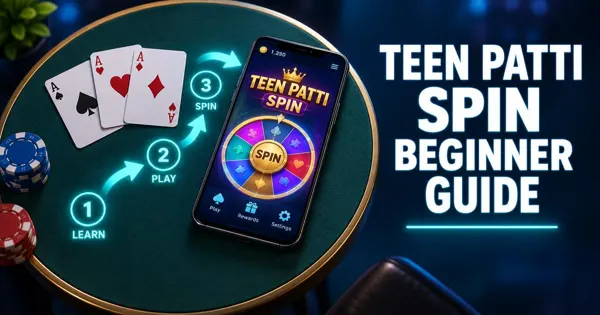
The games section is where most of your time in 3Patti Spin is actually spent, so it is worth understanding how it is organised before you jump in.
This guide builds on our 3Patti Spin Games page with a closer look at how lobbies, modes and rules screens typically work, plus a practical approach for beginners choosing a table.
Why the Lobby Matters
A card app's lobby is more than a menu — it is the map of everything available to play. In 3Patti Spin, the lobby typically groups tables and modes into categories so you can find something that matches your experience and the amount of time you have.
Spending a few minutes exploring the lobby before joining a table saves confusion later. You will notice different entry points, icons and labels, and each usually leads to its own rules and table settings.
For a general overview of the games section, see our main 3Patti Spin games page. This article goes further into how to actually read and use that section once you are inside it.
Reading Game Categories
Most Teen Patti apps separate games into a small number of broad categories, such as classic-style tables and variation tables. Icons, thumbnails or short labels usually hint at what each category offers before you tap in.
Because the exact names and groupings can be updated over time, treat the categories as a starting point rather than a fixed list. If a category label is unclear, open it and check the rules screen rather than guessing.
- Look for a short description or icon next to each category.
- Note whether a category is marked as classic or as a variation.
- Check if there is a separate practice or low-stakes area before joining a busier table.
- See if table size or player count is shown before you enter.
Classic Teen Patti vs Common Variations
Classic Teen Patti is built around a simple idea: three cards each, and the strongest hand among the players who stay in wins. Most apps keep this as the core, default experience.
Around the classic format, the wider Teen Patti world includes well-known style of variations. These are general concepts seen across many Teen Patti games, not a confirmed list of what is in 3Patti Spin specifically.
- Joker or wild-card style variants, where certain cards can substitute for others when forming a hand.
- Muflis or low-hand style variants, where the usual ranking is flipped and the weakest hand can win instead of the strongest.
- Variants with extra shared or community cards that change how hands are built.
- Variants with different betting or action structures than the classic turn order.
Understanding a Game's Rules Screen
Before joining any table for the first time, look for an information icon, a question mark, or a labelled rules button near the entry screen. This opens the rules for that specific mode.
A good rules screen usually answers a handful of core questions, and it is worth reading through once even if you think you already know Teen Patti.
- What is the hand ranking, from strongest to weakest, in this mode?
- What actions can I take on my turn, and what do they mean?
- Are there any special cards, shared cards or twists compared to classic play?
- How does a round end, and how is the winner decided?
If anything in this article or elsewhere online ever seems to disagree with what the app shows, trust the app. Rules screens are tied to the exact version you are playing, while general guides describe patterns across the Teen Patti genre.
Table Settings and Entry Options
Many card tables let you see some basic information before you join, such as how many seats are filled, the general pace of the table, or an entry requirement shown on screen. Treat these as entry-level signals rather than guarantees of a particular experience.
If a table includes any feature tied to real money or in-app purchases, remember this is intended for adults only. Set a personal spending limit in advance, and never treat in-app totals as a way to make money.
If you are unsure what a setting or icon on the entry screen means, check the rules screen first. Most unclear icons are explained there.
A Simple Approach for Beginners
New players often feel pressure to jump into an active table immediately. A calmer approach tends to work better and helps you actually enjoy learning the game.
- Start with the most classic, traditional-feeling mode you can find.
- Read the rules screen fully once, even if parts feel familiar.
- Watch one full round before acting if the table allows it.
- Keep your first few sessions short so you are not rushing decisions.
Our How to Play 3Patti Spin guide walks through a full first round step by step if you want a more detailed walkthrough after choosing a table.
Switching Modes and Keeping Notes
Once you are comfortable with one mode, trying a second one is a good way to see how the game's structure changes. Give yourself a little time with each new mode before judging it, since unfamiliar rules can feel confusing at first even when they are simple.
Keeping a short personal note — in your phone's notes app, not in the game — of what each mode's hand ranking or special rule was can help you switch back and forth without relearning everything each time.
- Note the hand ranking order for each mode you try.
- Note any action names that are specific to that mode.
- Note roughly how long a typical round takes, so you can plan session length.
A Note on Responsible Play
Card games are meant to be entertainment. If 3Patti Spin includes any purchases or real-money-linked features, they are strictly for adults aged 18 and over.
Decide on a time and spending limit before you start a session, and stick to it regardless of how a round goes. No game mode, variation or strategy can guarantee a win.
Building a Practice Approach
Treat your first handful of sessions in any mode as practice rather than a test. The goal at this stage is to become comfortable reading your cards quickly and recognising the general shape of a strong hand, not to win every round.
A useful practice habit is to mentally rank your hand the moment you see it, before deciding on an action. Over time this becomes automatic, and the pause between seeing your cards and deciding what to do gets shorter.
If a mode has a lower-stakes or slower table, it can be a gentler place to practice than a busy table full of confident players. Check the entry screen for any indication of table pace before joining.
- Rank your hand mentally before taking any action.
- Review the result screen after each round, win or lose.
- Repeat the same mode for several sessions before switching.
- Avoid judging a mode's difficulty from a single unlucky round.
Comparing Modes Fairly
It is tempting to decide you dislike a mode after one confusing or unlucky session. A fairer test is to play several rounds of the same mode before forming an opinion, since a single round rarely reflects how the mode generally plays.
When comparing two modes, look at concrete things rather than a vague feeling: how clear the rules screen was, how long a typical round took, and whether the hand ranking made sense once explained. These are more reliable signals than how one single round went.
If you are torn between two modes, it is perfectly fine to alternate between sessions until one feels like a better fit for how much time you usually have available to play.
A Note on App Updates
Game lobbies and categories are not fixed forever. Updates can rename modes, rearrange the lobby layout, or adjust table settings, which is another reason this guide avoids listing specific titles.
Keeping the app updated means your lobby matches what current guides, including this one, describe. Our how to update 3Patti Spin article explains how to check for and install updates.
Final Thoughts
The games section rewards a little patience: reading categories, checking a rules screen, and starting with the classic format before branching out. This approach works whether the lobby changes next month or stays the same.
For a complete first-round walkthrough, continue to How to Play 3Patti Spin, or revisit 3Patti Spin Games for the broader overview.
Frequently Asked Questions
Get 3Patti Spin
Opens the game's download page in a new tab. Play responsibly, 18+.
Download 3Patti Spin